Ludo.ai adds keyframe animation and 3D tools for game developers

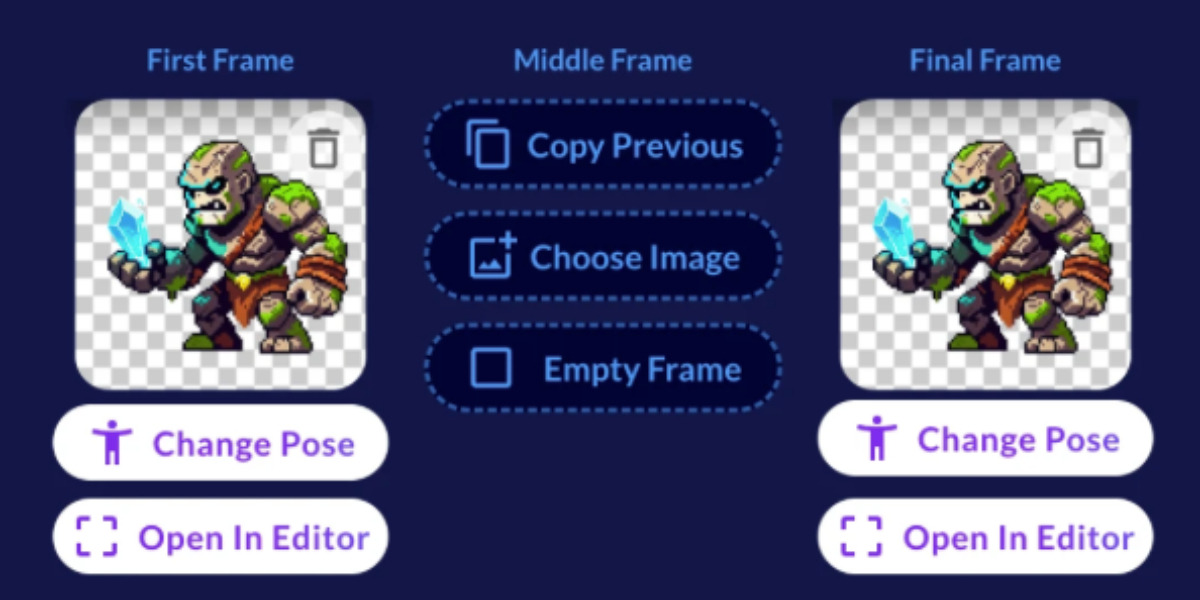
- Animations can contain up to 64 frames and support sprites, visual effects and UI assets.
- Ludo has also introduced one-click 3D rigging for engine-ready character models.
- The new tools are available through Ludo’s app, API and MCP server.
Ludo AI has launched Keyframe Animation, a new tool giving game developers control over AI-generated sprite animations while expanding its existing animation capabilities across 2D and 3D assets.
The feature is available in the Ludo app, API and MCP server, allowing developers to define up to three key poses and have Ludo generate the frames between them.
The company has also introduced one-click 3D rigging, allowing developers to add an engine-ready skeleton to models without external software or manual work.
Precise control
Developers can set starting, middle and final poses for an animation, either using their own images or Ludo’s built-in pose generation tools. A text prompt is optional once keyframes are established, with the poses instead driving the animation.
Ludo AI said the system can generate animations of up to 64 frames, with adjustable duration, size and resolution. It supports character sprites, visual effects and UI assets, with animations looping seamlessly by default.
Once rigged, models can be animated using Ludo’s library of ready-made movements or custom motions described through text. Custom animations generate four variants that can be previewed on the model before exporting as a single animated file.
"Everyone can generate a sprite animation with AI now," said Ludo.ai co-founder and CTO Jorge Carvalho Gomes. “That part is basically solved. The hard part is getting the animation you actually had in your head.
“With Keyframe Animation, you're not describing motion and hoping for the best. You set the exact poses the animation moves through and Ludo fills in the rest.”
Companies
